About Paintation: Famous Art Filters
Turn your photos into masterpieces with Paintation, a powerful offline photo editor that combines famous art filters with professional retouching tools. Unlike standard filter apps, Paintation uses local AI to process...
Turn your photos into masterpieces with Paintation, a powerful offline photo editor that combines famous art filters with professional retouching tools. Unlike standard filter apps, Paintation uses local AI to process images directly on your device, ensuring 100% privacy and functionality without an internet connection.
🎨 Famous Art Filters & Style Transfer
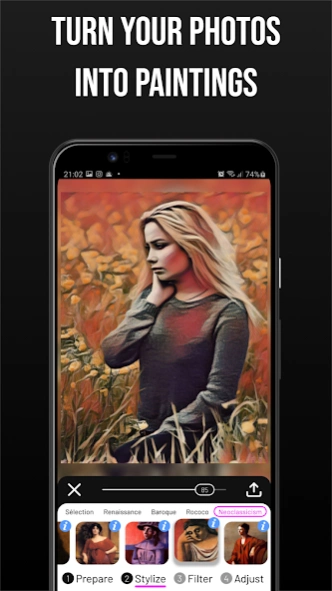
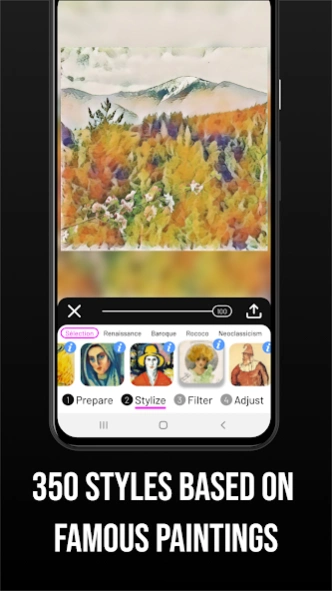
Explore 500+ filters inspired by art history. Our AI engine transfers the style of famous paintings to your photos, simulating realistic textures and brushstrokes.
• Art Movements: Browse styles by era—Renaissance, Impressionism, Baroque, Rococo, Cubism, Surrealism, and more.
• Realistic Mediums: Apply oil painting effects, watercolor filters, charcoal sketches, and canvas textures.
• Learn Art History: Each filter includes info about the original artwork and painter, making it a great tool for art enthusiasts.
• Custom Styles: Create your own filters by uploading any reference image.
🛠️ Professional Retouching Tools
Paintation is not just about art; it’s a full-featured photo editor. Fix and enhance your images before applying effects using our advanced 4-stage workflow (Prepare, Stylize, Filter, Adjust).
• AI Object Removal: Use the Vanish tool to cleanly remove unwanted objects or people from your photos.
• Liquify & Warp: Reshape faces or objects with precision.
• Clone Stamp: Professional tool for detailed defect correction.
• Background Changer: Automatically detect and replace or remove photo backgrounds.
• Fine-Tune Control: Adjust brightness, contrast, hue, saturation, and sharpness with granular precision.
✨ Key Features:
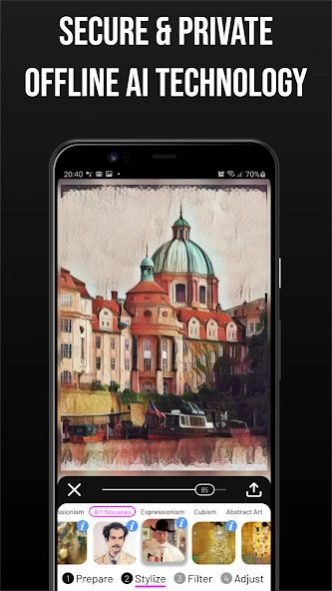
• 100% Offline Processing: Edit photos anywhere, no data required.
• High-Resolution Export: Save images in crisp quality suitable for printing.
• Multi-Stage Editing: Seamlessly switch between retouching, artistic styling, and color filters.
• Privacy Focused: Your photos never leave your device.
Whether you want a Van Gogh filter, a pencil sketch effect, or just need a secure tool to remove background and retouch selfies, Paintation offers a complete creative studio in your pocket.
Download Paintation: Famous Art Filters now and start creating digital art today!
CREDITS are listed on http://paintation.com/paintation/.
Previous Versions
Here you can find the changelog of Paintation: Famous Art Filters since it was posted on our website on 2020-12-28 21:06:33.
The latest version is 11.3 and it was updated on 2026-10-10 09:45:03. See below the changes in each version.
Paintation: Famous Art Filters version 11.3
Updated At: 2026-08-05
Changes: Minor improvements and bug fixes
Paintation: Famous Art Filters version 11.0
Updated At: 2026-01-24
Changes: We’ve added a Demo Mode to instantly test effects with pre-loaded images, along with a new Quick Start Guide to help you master the tools and features.
Paintation: Famous Art Filters version 10.0
Updated At: 2025-12-31
Changes: One-time purchase option for premium version.
Paintation: Famous Art Filters version 9.2
Updated At: 2025-08-20
Changes: Enjoy an ad-free experience in the free version, plus some minor improvements and bug fixes.
Paintation: Famous Art Filters version 9.0
Updated At: 2025-04-22
Changes: Added the ability to mark styles as favorites for easier access.
Paintation: Famous Art Filters version 8.0
Updated At: 2024-02-21
Changes: The Vanish tool in the Prepare stage now uses AI-powered object removal for seamless background filling, making edits quicker and easier. Try it out!
Paintation: Famous Art Filters version 7.0
Updated At: 2023-12-10
Changes: - Enhanced Editing: Seamlessly crop and resize images without resetting stickers and other user-defined masks.
- Performance Boost: We've optimized our processing engine for faster image transformations, ensuring a smoother creative flow.
Paintation: Famous Art Filters version 6.3
Updated At: 2023-05-08
Changes: Optional magnifier view added to help with mask editing and deform tools.
Paintation: Famous Art Filters version 5.1
Updated At: 2022-04-20
Changes: An extra button was added to the main menu to open images with the Document app.
Paintation: Famous Art Filters version 5.0
Updated At: 2022-03-17
Changes: Deform tools added to Prepare section. Deform tools allows you to apply a series of liquify filters such as push, bloat, shrink, twirl, and restore.
Disclaimer
Official Google Play Link
We do not host Paintation: Famous Art Filters on our servers. We did not scan it for viruses, adware, spyware or other type of malware. This app is hosted by Google and passed their terms and conditions to be listed there. We recommend caution when installing it.
The Google Play link for Paintation: Famous Art Filters is provided to you by apps112.com without any warranties, representations or guarantees of any kind, so access it at your own risk.
If you have questions regarding this particular app contact the publisher directly. For questions about the functionalities of apps112.com contact us.